Nori, Skylight, Cozyla and FamGlow: what each one really costs
They all put the week on a screen in your kitchen. What separates them is what you buy before anything works, what the free tier still does in month four, and whether they write into the Google calendar you already keep.
Every figure comes from each company’s own documentation, read in September 2026. We build FamGlow, so check our column against the others yourself.
| FamGlow | Skylight Calendar | Nori | Cozyla | |
|---|---|---|---|---|
| What it is | Software that turns a tablet you own into a family wall display | Dedicated touchscreen calendar | AI family assistant, plus their own hub | Dedicated calendar display, several sizes |
| Hardware you have to buy | None. Any tablet from the last 5 years. | Their 10″–27″ touchscreen | Optional 15.6″ Family Hub1 | Their 15.6″–55″ display |
| Hardware cost | $0 — use what you own | $169.99 – $599.99 | $339 (or $349 with a year of AI) | $199.99 – $2,129.992 |
| Software cost | Free for a limited time | Plus $7.99/mo or $79/yr | Plus $7.99/mo or $59.99/yr | Essential $7.99/mo or $79.99/yr · Super $69.99/yr |
| What you actually get free | FamGlow is free for a limited time, with no card required. | A real free account without buying hardware (calendar, tasks, lists, recipes). The AI needs Plus. | Core app free, plus 10 AI uses. After that the AI needs Plus. | Depends which device you bought: generous on Calendar Plus, thin on the cheaper Neo, where meals, rewards and smart import need Essential. |
| Where you see it | On the wall, on your phone, on your laptop. Wherever the family is. | On their hardware, plus their app | On your phone, or their hub on the counter | On their device, plus their app |
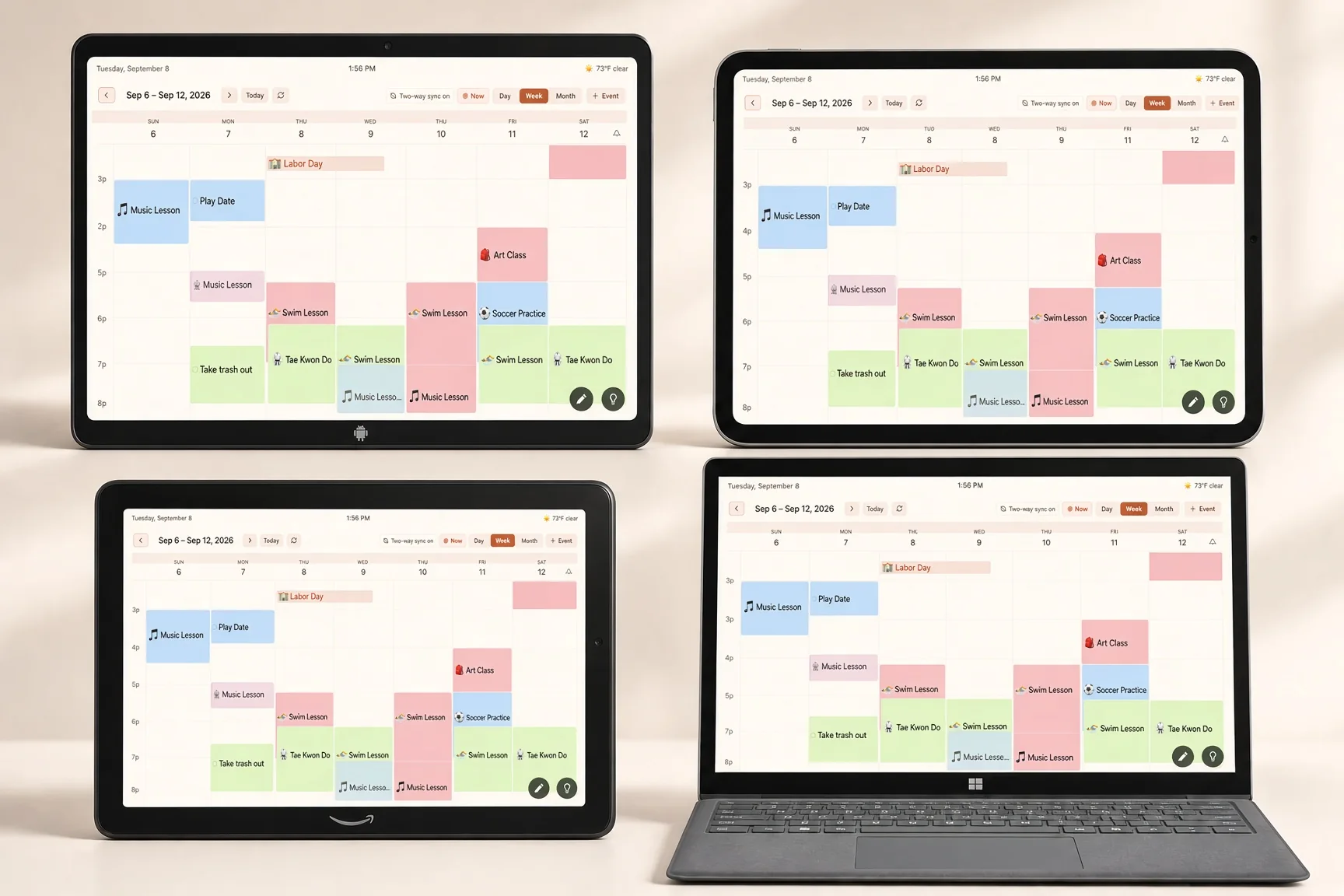
| What it does | The family calendar at a glance on the wall. Snap a paper schedule to import it, ask in plain language by voice or text, kids’ activities and to-dos, weather, photos, and school calendar feeds. | Shared calendar on their screen, plus Sidekick AI that turns a photo, email or PDF into an event (Plus only). | AI plans, books and acts. Voice, photo, forwarded email and links all become events. | Shared calendar on their screen, chores and meals, plus a “Hey Cozyla” voice agent that adds events. |
| Two-way calendar sync | Yes, on Google and Apple Calendar3 | Yes, on Google and iCloud, but you have to choose two-way during setup or new events stay on the device4 | Marketed as sync; we could not find write-back documented in their help centre5 | Yes, on Google and iCloud, but you pick the target calendar for each event6 |
| What it does to your calendars | Reads the calendars you connect and never edits them. Anything FamGlow writes goes in a calendar of its own. | Writes into the calendar you point it at | Not documented | Writes into the calendar you pick per event |
| Ads & your data | No ads, ever. We never sell your family’s information. | No ads, but owner reviews report upsell prompts on the device you paid for | No ads; AI metered past 10 free uses | No ads |
| Best for | Families who want a shared wall display without buying another device | Families who want a polished dedicated device and will pay for the AI | Parents who want AI to plan the week | Families who want the cheapest dedicated display and do not mind the setup |
Skylight Calendar
Nori
Cozyla
Coming from Maple? The app is shutting down December 31, 2026 and deleting its data — here's how to move your family to FamGlow.
Where we fit
Where FamGlow fits
FamGlow is not trying to be the AI that runs your family. It is the wall surface that makes the life you already have visible: calendar, kids’ schedules, weather, photos, right there when you walk through the kitchen.
We use AI where it genuinely helps: reading a photographed school schedule, answering a question about the week out loud, flagging a clash before it becomes a problem. But the AI works for the family, it does not replace the family.
The honest summary of the table above: Skylight is the most polished product in this category, and if you are happy to buy their screen and pay for their AI, it is a good product. Cozyla will sell you a display for less. Nori has the most ambitious assistant. What none of them will do is run on the tablet already sitting in your kitchen drawer, and none of them start free without hardware.
Sources and notes 6 footnotes
Competitor figures were re-checked against each company’s own website and help centre on September 3, 2026. Where we could not confirm something, we say so rather than guessing. The FamGlow row was last updated on September 14, 2026.
1 Nori’s app works without their hardware; the 15.6″ Family Hub is $339 device-only or $349 with the first year of AI, per heynori.com.
2 Cozyla range runs from the 15.6″ Calendar Neo at $199.99 ($169.99 in a membership bundle) up to the 55″ Calendar Max Go at $2,129.99 on sale, per cozyla.com. Most families would be looking at the $199.99–$799.99 part of the line.
3 FamGlow’s two-way sync left beta on September 14, 2026 and is on for every family. Events you create in FamGlow are written into a calendar FamGlow owns inside your Google or Apple account, which is why the calendars you connect are never edited.
4 Skylight documents two separate modes and warns that you must pick two-way during setup, otherwise events you create will not appear on your Google Calendar (skylight.zendesk.com).
5 Nori markets “Sync Google, iCal, and Outlook”. The help content we could reach demonstrates importing into Nori; we found no vendor documentation of events created in Nori being written back, so we have left it as unconfirmed rather than calling it either way.
6 Cozyla’s help centre confirms two-way sync on both Google and iCloud, and also documents that you choose the target calendar per event, or the event stays on the device (support.cozyla.com).
Skylight pricing (10″ $169.99 – Calendar Max $599.99, Plus $7.99/mo or $79/yr) per myskylight.com. Prices change often; check each vendor before buying.
Last updated: September 14, 2026.
Stop juggling. Start glancing.
Free for a limited time, with no card required. Use the tablet you already own.
Try FamGlow FreeNo card required. Works on any tablet from the last five years.